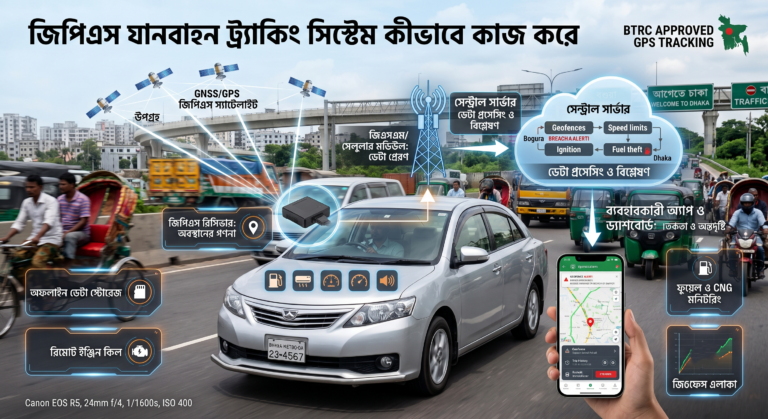
If you’ve ever wondered how a small device tucked under your car’s dashboard can tell you exactly where your vehicle is, how fast it’s going, or whether someone just tried to start the engine without permission — the answer lies in a surprisingly elegant combination of satellites, cellular networks, and onboard sensors working together in real time.
Let’s break down what’s actually happening behind the scenes.
1. The Core Components
A GPS Vehicle Tracking System (VTS) isn’t a single gadget — it’s a small ecosystem made up of four main parts:
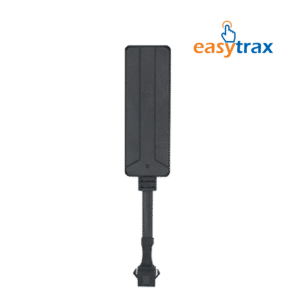
- The GPS tracker (hardware unit): A compact device installed in the vehicle, usually connected to the OBD port or wired discreetly into the electrical system.
- A GPS receiver: This picks up signals from satellites orbiting the Earth to calculate the vehicle’s exact position.
- A GSM/cellular module: This sends that location data over the mobile network to a remote server.
- A cloud platform or mobile app: Where all the data is processed, stored, and displayed to the vehicle owner in an understandable format — maps, alerts, and reports.
2. Step One: Talking to Satellites
The process starts with satellites — specifically, a network orbiting Earth as part of a Global Navigation Satellite System (GNSS), such as GPS (US) or GLONASS.
The tracker’s GPS receiver picks up signals from at least four satellites simultaneously. Each satellite sends a signal containing its exact position and the precise time it was sent. By measuring how long each signal takes to arrive, the receiver calculates its distance from each satellite — a process called trilateration.
With distances from four or more satellites, the device can pinpoint its exact latitude, longitude, and altitude, usually accurate to within a few meters.
3. Step Two: Sending the Data Somewhere Useful
Knowing its own location doesn’t help much if that information stays locked inside the device. This is where the GSM/cellular module comes in.
The tracker packages the location data (along with timestamps, speed, and sometimes sensor readings) and transmits it over the mobile network — the same infrastructure your phone uses for data — to a remote server. This usually happens at set intervals, ranging from every few seconds on premium systems to once a minute on basic ones.
4. Step Three: Processing on the Server
Once the data reaches the server, software processes it and matches the coordinates to a digital map. This is what lets you see your car as a moving icon on a screen instead of a raw string of numbers.
The server also handles logic like:
- Detecting if the vehicle has crossed a geofence (a virtual boundary you’ve set)
- Comparing current speed to a speed limit you’ve configured
- Flagging unusual patterns, like ignition at an odd hour
- Storing historical trip data for playback later
5. Step Four: Delivering Alerts and Insights to You
Finally, the processed information is pushed to your mobile app or web dashboard. This is the layer you actually interact with — live location on a map, trip history, speed graphs, and push notifications for events like:
- Ignition on/off
- Geofence entry or exit
- Sudden harsh braking or towing
- Device tampering or power disconnection
6. Beyond Just Location: Sensors and Add-Ons
Modern trackers do more than report GPS coordinates. Many are paired with additional sensors and relays that plug into the vehicle’s systems:
- Fuel sensors estimate or directly measure fuel level changes to detect theft or unusual consumption.
- Engine relays allow remote immobilization — cutting the fuel pump or ignition circuit if the vehicle is reported stolen.
- Accelerometers detect sudden impacts, harsh braking, or towing attempts.
- Door and AC sensors report cabin activity, useful for monitoring hired drivers.
7. What Happens Without Cellular Signal?
A common question: what if the car drives into an area with no cellular coverage? Most trackers handle this by storing location data locally in onboard memory. Once the connection is restored, the device automatically uploads the backlog of stored points, so you don’t lose the trip history — just the real-time updates during that gap.